
HP PSC 1415 Ink Cartridges
Replacement HP PSC 1415 Ink Cartridges from $11.99
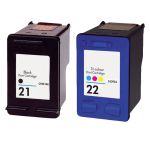
Save $24.11 (46% off retail price)
Buy 3 or more: $27.04 per pack
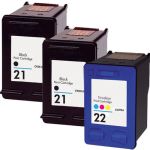
Save $36.10 (48% off retail price)
Buy 3 or more: $37.71 per pack

Save $62.22 (49% off retail price)
Buy 3 or more: $62.81 per pack
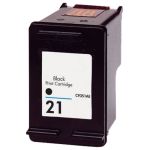
Save $13.00 (52% off retail price)
Buy 3 or more: $11.63 per cartridge
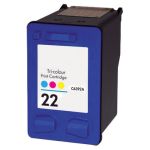
Save $16.09 (49% off retail price)
Buy 3 or more: $16.39 per cartridge
HP PSC 1415 Ink Replacement Guide
- Make sure the printer is on.
- Lower the access door.
- The ink cartridge's carriage will automatically move, so make sure to wait for it to completely stop moving before you proceed.
- Lightly press down the print cartridge to release it.
- Get your new CompAndSave HP PSC 1415 printer ink cartridge. Open it over a sink or garbage can to avoid any mess in case it leaks, as sometimes, factories tend to overfill the ink cartridges. Make sure to touch the black plastic part only, then remove the covering tape that is usually bright in color along with the plastic protective case, if there is, before installing it.
- Slide the new print cartridge into the empty slot at an upward angle. Push the print cartridge till it clicks into place.
- Close the access door.
HP PSC 1415 Ink Cartridges FAQs
Can I refill HP ink cartridges myself?
Yes, you can. You just need to have the right instruction and tools to do so. But to avoid issues, we highly suggest you replace any empty ink cartridges. CompAndSave offers a wide variety of cheap printer ink cartridges at a much lower price without compromising its quality. Our cartridges are manufactured to meet or exceed the OEM specifications, which will save you from all the trouble of going through the process of refilling an ink cartridge.
Why does my HP printer say print cartridge problem?
There are several reasons why your printer will show a "Print Cartridge Problem" error. First, make sure that the ink cartridge you installed on your printer is the right model number. To verify this, check the printer's manual or the last ink cartridge that worked on your printer, and look for the model number which consists of alphanumeric characters. For example, HP PSC 1415 uses the ink cartridge with the model code HP 21. Next, your printer might be having trouble reading the ink cartridge. To fix this issue, remove the ink cartridge from the printer, then wipe the copper part of the cartridge with a damp non-abrasive towel or cloth. Install the cartridge back into the machine and turn it off for 15 minutes. For more troubleshooting steps, click Troubleshooting Tips and you will be redirected to the right page.
Replacement HP PSC 1415 Ink Cartridges Reviews
-
Great companyReview for HP 22 / C9352AN / C9352A Replacement Tri Color Ink Cartridge
This company really has great service. and very fast. I could not believe how fast I received my order. Great pricing. The cartridge works well. \ \
Was this review helpful?