
HP DeskJet 2670 Ink Cartridges

CompAndSave is proud to offer wallet-friendly prices on our replacement HP DeskJet 2670 ink cartridges with genuine-like quality and satisfaction. Why choose CompAndSave in shopping for HP DeskJet 2670 printer ink cartridges?

  • LOW PRICE GUARANTEE. Our HP ink cartridges are designed to ensure that you will get the same number of sheets and print quality as the genuine ones at a much lesser price.
  • WORKS LIKE THE ORIGINAL. Not sure on how to install replacement HP printer ink cartridges? Worry no more as CompAndSave's cartridges are designed to work and perform just like the original cartridges.
  • MORE DISCOUNTS. Enjoy even bigger discounts if you order HP DeskJet 2670 ink cartridges in bulk. We have single and combo pack cartridges available. Make sure to explore different quantities to find the price break that suits you best.
  • NEXT DAY SHIPPING. HP DeskJet 2670 printer ink cartridges orders placed before 2:00 PM PST Monday through Friday will be processed the same day. Orders placed after 2:00 PM PST will be processed the following business day. Check our Shipping Policy for more information.
  • FREE SHIPPING. For U.S. orders, buy products up to $50 or more, and the shipping fee is on us!
  • SATISFACTION GUARANTEE. CompAndSave is so confident in the quality of our replacement HP ink cartridges that we offer a FULL refund for orders returned within ten days upon delivery. We even issue refunds or store credit up to 365 days from the purchase date! Make sure to read our Return Policy for more details.
  • WILL NOT VOID PRINTER WARRANTY. Using a replacement HP DeskJet 2670 ink cartridges will never void your printer warranty. Visit our Ink Knowledge Base page for more details or contact us for any further questions.

Hurry and take advantage of our great prices for HP DeskJet 2670 printer ink cartridges today. SAVE Now!

All ink & toner come with 1-year 100% satisfaction guarantee.
Our products will never void your printer's warranty.

Replacement HP DeskJet 2670 Ink Cartridges from $16.95
View:
MOST POPULAR
High yield cartridge. Contains more ink and print more pages.
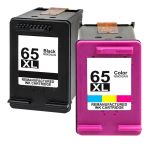
HP 65XL High Yield Black & Color 2-pack Ink Cartridges
HP 65XL / N9K04AN Black & HP 65XL / N9K03AN Color (2-pack) Replacement High Yield Ink Cartridges (1x Black, 1x Color)
Retail Price: $66.98
$32.98

Save $34.00 (51% off retail price)

Buy 3 or more: $31.99 per pack
   
Retail Price: $64.98
$32.98

Save $32.00 (49% off retail price)

Buy 3 or more: $31.99 per pack
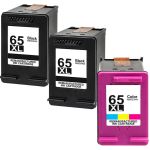
   
Retail Price: $97.97
$44.97

Save $53.00 (54% off retail price)

Buy 3 or more: $43.62 per pack
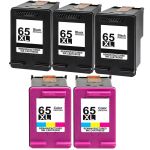
   
Retail Price: $164.95
$70.95

Save $94.00 (57% off retail price)

Buy 3 or more: $68.82 per pack
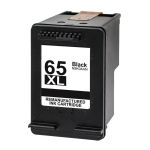
   
High yield cartridge. Contains more ink and print more pages.
HP 65XL N9K04AN High Yield Black Ink Cartridge
Retail Price: $30.99
$16.95

Save $14.04 (45% off retail price)

Buy 3 or more: $16.44 per cartridge
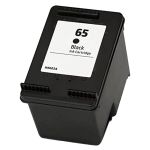
   
Retail Price: $30.99
$16.95

Save $14.04 (45% off retail price)

Buy 3 or more: $16.44 per cartridge
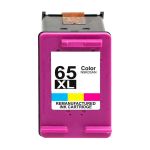
   
High yield cartridge. Contains more ink and print more pages.
HP 65XL N9K03AN High Yield Color Ink Cartridge
Retail Price: $35.99
$16.95

Save $19.04 (53% off retail price)

Buy 3 or more: $16.44 per cartridge
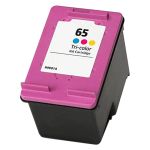
   
Retail Price: $33.99
$16.95

Save $17.04 (50% off retail price)

Buy 3 or more: $16.44 per cartridge


How to Install HP DeskJet 2670 Ink Cartridges?

  1. Make sure that the printer is turned on and load a stack of plain white paper in the paper tray.
  2. Open the ink cartridge access door by grasping the handles inside the front part of the printer and then lower it down.
  3. The ink cartridge's carriage will automatically move, so make sure to wait for it to completely stop moving before you proceed.
  4. Gently push the ink cartridge down to release it, then pull it out from the printer.
  5. Get your new CompAndSave HP DeskJet 2670 printer ink cartridge, open it over a sink or garbage can to avoid any messes in case it leaks as sometimes, factories tend to overfill ink cartridges. Make sure to touch the black plastic part only, then remove the covering tape that is usually bright in color as well as the plastic protective case, if there is, before installing it.
  6. Insert the new ink cartridge to its respective slot until it snaps lock into place.
  7. Close the ink cartridge access door.

HP DeskJet 2670 Ink Cartridges FAQ

What ink does HP DeskJet use?
HP DeskJet printers use different kinds or models of ink cartridges. To know the model number of the cartridge your DeskJet printer is using, you may check the user's manual that came with your printer. You may also check the existing cartridge that is installed in your printer. In front or on the side is a label or sticker with the model number, which is usually consisted of alphanumeric characters. For example, the HP DeskJet 2670 printer uses the ink cartridge that has the model code of HP 65 for standard yield and HP 65XL for high yield.
What happens if you use the wrong ink cartridge for a printer?
If you unknowingly purchase the wrong ink cartridge for your printer, it will most likely not fit inside the machine due to different fittings depending on the model. But in case you manage to install it inside your printer, the printer will not recognize it and will definitely not print.

Replacement HP DeskJet 2670 Ink Cartridges Reviews

1 Customer Reviews
5 out of 5 stars
Sort by
Rating
Newest
Helpfulness
  • Review for HP 65XL / N9K04AN Black & HP 65XL / N9K03AN Color (2-pack) Replacement High Yield Ink Cartridges (1x Black, 1x Color)
    Nov 27, 2024
    By: Verified Buyer

    Works just as good as brand name

    Was this review helpful?