
HP PSC 760 Ink Cartridges
Replacement HP PSC 760 Ink Cartridges from $18.95
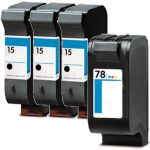
Save $172.16 (69% off retail price)
Buy 3 or more: $74.50 per pack
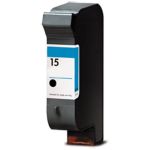
Save $42.04 (69% off retail price)
Buy 3 or more: $18.38 per cartridge
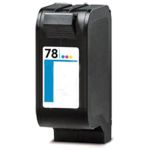
Save $41.04 (62% off retail price)
Buy 3 or more: $24.20 per cartridge
HP PSC 760 Ink Cartridge Replacement Guide
- Make sure that the printer is turned on.
- Open the ink cartridge access door in front of the printer.
- The ink cartridge's carriage might automatically move, so make sure to wait for it to completely stop moving before you proceed.
- Push the ink cartridge down to release it, then pull it out from the printer.
- Get your new CompAndSave HP PSC 760 printer ink cartridge, and open it over a sink or garbage can to avoid any messes in case it leaks as sometimes, factories tend to overfill ink cartridges. Make sure to touch the black plastic part only, then remove the covering tape that is usually bright in color as well as the plastic protective case, if there is, before installing it.
- Insert the new ink cartridge into its respective slot until it snaps the lock into place.
- Close the ink cartridge access door.
HP PSC 760 Ink Cartridge FAQs
Do you need both black and color cartridges to print HP?
Some HP printer models are designed to print only if all ink cartridges have ink, while some printer models can temporarily print even if the color ink cartridge is empty. To print with only black ink, you just have to open the printer software app and then go to the "Print" option. Then choose your printer, followed by selecting the "Printer Properties" tab. After this select "Paper/Quality" or "Features", press the "Advanced" option. You should see the option that says "Print in grayscale" press this option then select "Black Ink Only". Lastly press "OK" to apply the changes.
Please note that this depends on the printer model, as some models require all cartridges to print. To verify, you may contact your printer manufacturer and check if your printer has this feature. Although this option is available, we highly encourage you to replace any empty or low-ink cartridges to avoid printing issues. CompAndSave offers a wide variety of cheap printer ink cartridges without compromising its quality so you can print to your heart's content.
What is the difference between a laser and an inkjet printer?
Inkjet printers use ink-based type ink and they are best utilized for home use, printing photos, and low-volume printing. Laser printers on the other hand use powder-based toners and they are best utilized for office use or high volume of printing.
Replacement HP PSC 760 Ink Cartridges Reviews
-
Review for HP 15 / C6615DN / C6615D Replacement Black Ink Cartridge
Fast delivery and cartridge worked well
Was this review helpful? -
Skeptical about Reordering InkReview for HP 78 / C6578DN / C6578D Replacement Tri Color Ink Cartridge
Unfortunately Ink colors appear off and go from a bit light to horizontal lines to a bit muddy.
Was this review helpful?