
Epson EcoTank ET-3850 Ink Bottles
Compatible Epson EcoTank ET-3850 Ink Bottles from $6.99
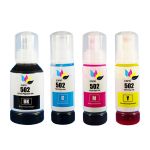
Save $32.98 (56% off retail price)
Buy 3 or more: $24.66 per pack
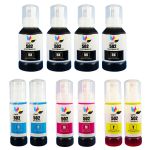
Save $97.96 (62% off retail price)
Buy 3 or more: $56.91 per pack
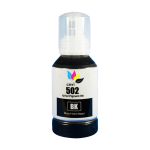
Save $13.00 (65% off retail price)
Buy 3 or more: $6.64 per cartridge
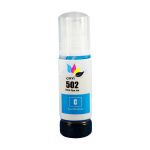
Save $6.00 (46% off retail price)
Buy 3 or more: $6.64 per cartridge
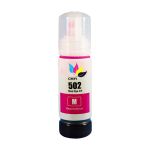
Save $6.00 (46% off retail price)
Buy 3 or more: $6.64 per cartridge
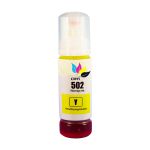
Save $6.00 (46% off retail price)
Buy 3 or more: $6.64 per cartridge
How to refill ink tank using Epson EcoTank ET-3850 ink bottles?
- Make sure that the printer is turned on.
- Raise the scanner lid of the printer until it snaps lock in place and then open the cap of the tank that needs to be refilled.
- Get your new CompAndSave Epson ET-3850 ink refill bottle. Open it over a sink or garbage can to avoid any messes in case it leaks as sometimes, factories tend to overfill ink cartridges.
- Carefully place the ink bottle to the ink tank that needs to be refilled and put it in a standing position. Let the ink bottle refill the tank, and do not squeeze the bottle.
- Close the cap and put the scanner lid back into place.
Most Common Epson EcoTank ET-3850 Ink Bottles Questions
- Does Epson EcoTank ink dry out?
- If you don't use your printer on a regular basis, this may cause the ink to dry out. To avoid this, make it a habit to print at least once a week using your EcoTank printer, or you may run the maintenance cleaning to keep the tank and the nozzle moist.
- What are the disadvantages of ink tank printer?
- Most common disadvantage of an ink tank printer is if you don't use the printer regularly, the ink inside the tank can dry up, which can cause a clogged nozzle. This would result in smudges, uneven or faded print quality. To avoid such issues, keep it a habit to print with your ink tank printer regularly or run maintenance cleaning on the printer to keep the nozzle moist.
Compatible Epson EcoTank ET-3850 Ink Bottles Reviews
-
Comparable to OEM Ink ProductsReview for Compatible Epson 502 T502120 Black Ink Bottle - T5021
Packaging is compatible with the printer. Ink fills as it should. No mess. Comparable color fastness. No issues.
Was this review helpful? -
Review for Epson 502 T502 Series (4-pack) Remanufactured Ink Bottles (1x Black, 1x Cyan, 1x Magenta, 1x Yellow)
Very helpful advice. Ron
Was this review helpful? -
Great product; Great priceReview for Compatible Epson 502 T502220 Cyan Ink Bottle - T5022
High quality ink. Great price. Fast shipping.
Was this review helpful? -
Price, packaging and print quality are exceptional.Review for Compatible Epson 502 T502220 Cyan Ink Bottle - T5022
Although not OEM ink, print results are comparable.
Was this review helpful?