
Epson XP-970 Ink Cartridges - Expression Photo XP-970 Ink
Remanufactured Epson XP-970 Ink Cartridges from $7.79
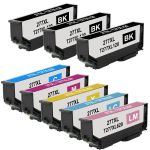
Save $97.00 (67% off retail price)
Buy 3 or more: $45.52 per pack
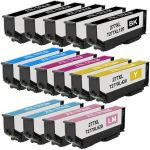
Save $195.00 (72% off retail price)
Buy 3 or more: $71.11 per pack
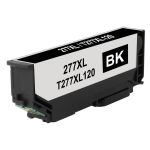
Save $12.20 (61% off retail price)
Buy 3 or more: $7.40 per cartridge
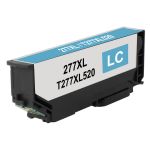
Save $9.20 (54% off retail price)
Buy 3 or more: $7.40 per cartridge
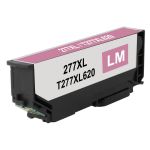
Save $9.20 (54% off retail price)
Buy 3 or more: $7.40 per cartridge
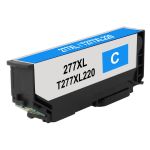
Save $9.20 (54% off retail price)
Buy 3 or more: $7.40 per cartridge
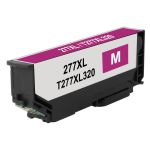
Save $9.20 (54% off retail price)
Buy 3 or more: $7.40 per cartridge
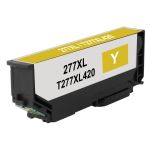
Save $9.20 (54% off retail price)
Buy 3 or more: $7.40 per cartridge
How to Install Epson XP-970 ink cartridges?
- Make sure that the printer is turned on.
- If you are replacing the ink cartridge before it runs out. Just press the 'Home' button, then 'Maintenance', followed by 'Ink Cartridge Replacement', and lastly press 'Next'.
- Lift the printer's scanner lid. The ink cartridge's carriage will automatically move, so make sure to wait for it to completely stop moving before you proceed. Avoid touching or moving the printhead manually or by hand.
- Press the tab at the end of the cartridge to release it. Then pull the cartridge out from the printer.
- Get your new CompAndSave Epson Expression Photo XP-970 ink cartridges, open it over a sink or garbage can to avoid any messes in case it leaks as sometimes, factories tend to overfill ink cartridges. Make sure to touch the black plastic part only, then remove the covering tape that is usually bright in color as well as the plastic protective case, if there is, before installing it.
- Insert the Epson Expression XP-970 ink cartridge to its respective slot and gently push it until it snaps lock into place.
- Put the scanner lid back into place and let the printer finish the ink charging process to avoid wasting ink.
Most Common Epson XP-970 Ink Cartridges Questions
- Why is Epson ink so expensive?
- OEM ink and toner manufacturers claim that the high cost of toner cartridges is due to the research and development of technologies to deliver high-quality ink and toner. However, it is worth noting that there are generic cartridges that exceed OEM requirements while being less expensive than their counterparts. CompAndSave's compatible and replacement ink and toner cartridges are engineered to meet or exceed OEM standards. That is to say; you can have the same print quality and page output without spending a fortune. Please keep in mind that using generic, remanufactured, or replacement cartridges will never void the warranty on your printer. For additional information, please visit ink knowledge base and you will be redirected to the right page.
- What ink does Epson XP-970 use?
- Epson Expression Photo XP-970 printer uses the Epson 277XL ink cartridges, which come in black, cyan, magenta, yellow, light cyan, and light magenta. CompAndSave offers remanufactured Epson 277XL ink cartridges which will work as a replacement of the original Epson ink cartridges but at a very affordable price.